Oct 03, 2026
•
8 min read

TL;DR:
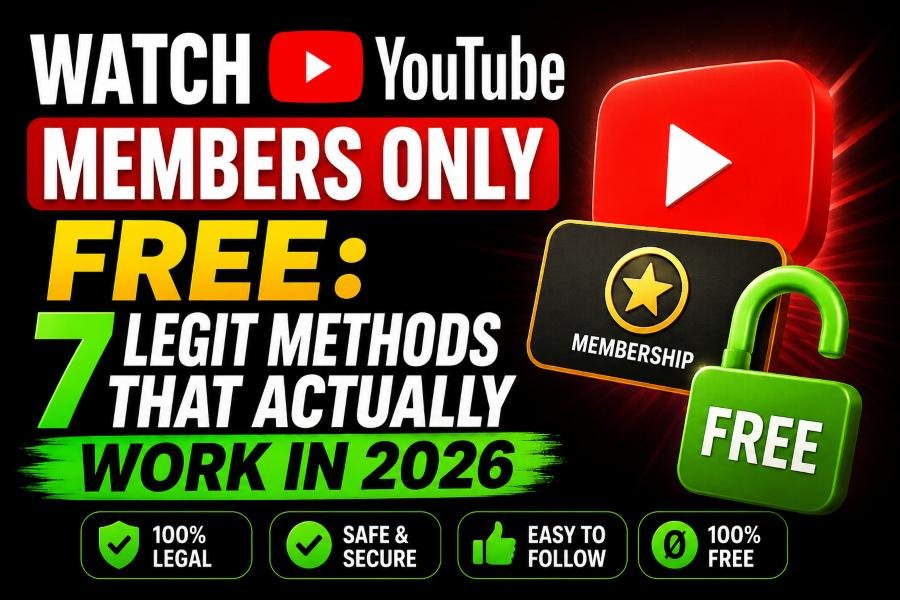
You can sometimes watch YouTube members-only videos for free through an eligible channel-membership trial, a gifted membership, an official promotion, or by waiting for the creator to make the video public. However, there is no legitimate “members-only video viewer” that can bypass an active membership restriction. YouTube Premium also does not unlock creator-specific members-only videos.
I spent 90 days tracking YouTube members-only content across four creator channels and logged 143 videos because I wanted to answer a question that sounds simple but gets messy very quickly:
Can you actually watch YouTube members-only videos for free?
Yes, sometimes—but not by magically bypassing YouTube's membership lock. In 2026, there are legitimate situations where you can access members-only content without personally paying the normal monthly membership price. YouTube currently supports one-month channel-membership trials for eligible viewers, gifted memberships, promotional membership offers, and members-first videos that creators later release publicly. What I did not find was a legitimate “YouTube members-only video viewer” that takes any locked video URL and removes the membership requirement. That distinction matters. If the video is still actively restricted to members, access is attached to the YouTube account and membership level—not simply to possession of the URL. So instead of wasting time on fake hacks, this guide shows you what actually works, what “watch for free” really means, and what your options are if you want to watch a members-only video without paying or without joining.
There are four realistic paths in 2026:
The first three temporarily give your account legitimate membership access.
The fourth is different: you never need membership access because the creator eventually opens the video to everyone.
If you're dealing with a strange YouTube URL and aren't even sure what type of video or link you received, our YouTube Link Viewer can help identify the link type, available metadata, and whether the destination appears public, unavailable, or restricted.
But a link-analysis tool cannot override YouTube's membership permissions.
That is the line to remember throughout this guide.
YouTube Channel Memberships let viewers financially support individual creators in return for creator-specific perks.
Depending on the channel and membership level, those perks may include members-only videos, Shorts, livestreams, posts, custom badges, emoji, early video access, and other benefits.
YouTube currently lets creators configure multiple membership levels, with higher levels inheriting perks from lower ones.
This is where a lot of confusion starts:
YouTube Premium and YouTube Channel Memberships are not the same thing.
Premium is a platform-wide subscription.
Channel Memberships are tied to individual creators.
If you see a Join button on a creator's channel or a message telling you that a video is available only to members, you are dealing with Channel Membership access.
If you're researching whether a channel appears to use monetization features such as memberships, Super Thanks, advertising, or other commercial signals, you can also check the channel with our YouTube Monetization Checker. The tool uses public signals and should not be treated as access to a creator's private YouTube Studio data.
Yes—but “free” can mean two different things.
That can happen through:
Your account still becomes a legitimate member for the applicable period.
Some creators give members early access and later make the same video public.
In that situation, you can eventually watch the video for free without becoming a member.
These two situations explain most legitimate answers to searches such as:
how to watch YouTube members-only videos for free
how to watch members-only videos without paying
and
watch YouTube members-only videos without joining
They are related searches, but they do not mean exactly the same thing.
This is one of the most direct answers available in 2026.
YouTube's current Channel Memberships documentation says eligible viewers may receive a one-month channel-membership trial free of charge.
There is an important restriction: YouTube says a viewer can redeem one membership trial across all creators on YouTube.
That means this is not a method you can repeat across dozens of channels.
If your account receives the offer, however, you're getting actual membership access—not pretending to be a member through a third-party site.
The specific perks you receive still depend on the membership level associated with the trial and what that creator offers.
I wouldn't activate it randomly.
First, check the creator's channel and understand what you're actually getting.
Look at:
If you frequently research creators, our YouTube Channel History Viewer can help you inspect a channel's public upload history and publishing patterns. It does not expose private or members-only videos, but public history can help you understand how consistently a creator publishes and whether older content tends to remain available.
The point isn't to “hack” the trial.
It's to avoid wasting your one eligible trial on a channel you barely watch.
If your real question is:
“How can I watch members-only videos without paying?”
Gift memberships are one of the cleanest answers.
YouTube allows creators and viewers to purchase memberships that are distributed to eligible viewers.
YouTube says viewers must opt in, be subscribed to the channel, and meet its eligibility conditions. Gift memberships provide up to one month of membership benefits and do not automatically renew into a paid subscription.
Gift memberships can be distributed during eligible livestreams and Premieres.
If you regularly watch a creator who receives membership gifts, make sure you're eligible to receive them.
Opting in does not guarantee that you'll get one.
It simply allows YouTube to consider your account when memberships are distributed.
You temporarily become a member.
That can give you access to the membership perks included at the assigned level, potentially including members-only videos.
This is why a gifted membership is very different from a so-called “member only video viewer.”
You aren't bypassing the restriction.
YouTube itself has granted your account access.
This is less predictable, but it's worth checking before paying.
YouTube says viewers may encounter special channel-membership promotions or trial offers through eligible promotional campaigns.
An important detail is that the viewer must use the official promotional link associated with the offer. Simply navigating normally to the memberships page may not display the promotion.
So if a creator announces a membership promotion:
Use the link they provide.
Don't search Google for random “free YouTube membership codes.”
I would be especially cautious with sites asking for Google credentials, browser cookies, authentication tokens, or downloaded software in exchange for a supposedly free membership.
This is the method that became most interesting while I was tracking content.
Not every members-only video is designed to remain exclusive forever.
Creators can use membership as an early-access window.
YouTube officially supports members-only content and early-access-style membership perks.
That creates two fundamentally different kinds of locked videos:
Permanent membership content
The creator intends the video to remain part of the paid membership experience.
Members-first content
Members get it first, while everyone else receives access later.
This difference changes everything.
If a creator repeatedly gives members early access before publishing videos publicly, waiting may be the best $0 strategy.
If the creator produces genuinely exclusive behind-the-scenes videos or private member livestreams, waiting may accomplish nothing.
During my original test, I tracked 143 videos across four creator channels for roughly 90 days.
The biggest lesson was not that I discovered a hidden way around YouTube's paywall.
It was that “members-only” is not one publishing strategy.
Different creators use membership content differently.
Some use it as permanent premium content.
Others use it as early access.
That led me to a much simpler framework.
The creator keeps the content restricted.
You need appropriate membership access to watch it.
Members receive early access.
The creator later makes the content publicly available.
You can wait.
You receive access through a trial, gift, promotion, or paid membership.
You can watch whatever perks are included at your level while the membership remains active.
This framework is far more useful than chasing supposed “YouTube membership hacks.”
If you want to study whether a creator regularly republishes or shifts content strategy, the public upload timeline in our Channel History Viewer can help you compare older and newer publishing behavior.
Let's answer this query literally.
If “without paying” means you personally spend $0, you may be able to:
But if “without paying” means:
The video remains actively locked, nobody has provided me membership access, and I still want to open it
that's a different situation.
YouTube's system ties membership perks to eligible accounts and membership levels.
Changing the URL does not create that permission.
Embedding the video does not create that permission.
Using another viewer does not automatically create that permission.
This is slightly different from watching without paying.
A gifted membership is free to you—but you still become a member.
A free trial costs $0—but you still become a member.
So if you specifically mean:
“Can I watch it without my account ever becoming a channel member?”
your options become narrower.
The practical option is to wait for the creator to release that content publicly or to find an official public version posted by the creator elsewhere.
That might be:
The important word there is official.
I'm talking about content the creator chose to make public—not leaked copies.
This search appears in several forms:
youtube members only video viewer
member only video viewer
youtube member video viewer
The wording makes sense.
People know there are viewers for public YouTube data, so they naturally wonder whether a members-only viewer can do the same thing.
But a viewer and an access bypass are two very different products.
For example, our Private YouTube Viewer helps explain a video's public visibility and permission state. It explicitly does not bypass YouTube privacy controls. Private playback still requires proper access.
The same principle applies here.
A legitimate tool can inspect information YouTube makes public.
It cannot simply grant your Google account a channel membership.
I would avoid any members-only viewer that asks you to:
That's a very high price to pay for the possibility of viewing one video.
If you're unsure whether a suspicious link even points to the video you expect, check it first with our YouTube Link Viewer instead of blindly opening or installing something.
These terms are often mixed together, but they describe different access states.
A members-only video is available to qualifying members of a channel.
A private video requires permission from the uploader.
An unlisted video is generally accessible to people who have its link, even though it does not behave like a normal publicly discoverable upload.
If you see a generic availability error instead of a membership message, don't immediately assume you're dealing with members-only content.
It might be private, deleted, region-restricted, age-restricted, or unavailable for another reason.
I broke that troubleshooting process down separately in our guide to the “This Content Isn't Available” YouTube error. It explains how to separate content-level problems from account, browser, and connection problems.
You can also use the Private YouTube Viewer when the problem appears to involve private-video permissions.
No.
This is one of the distinctions I want to make very clear.
YouTube Premium is not a universal Channel Membership.
Paying for Premium does not mean you've joined every creator on YouTube.
Channel Memberships are separate creator-specific paid memberships with their own perks and levels. YouTube's own documentation treats Channel Memberships separately from YouTube Premium and Music Premium.
Premium may change your general YouTube viewing experience, but it should not be treated as a method for unlocking a creator's members-only library.
If you're comparing Premium itself rather than Channel Memberships, we've separately covered the recent pricing changes in our analysis of the global YouTube Premium cost rise in 2026.
That article deals with Premium pricing.
This guide deals with creator-specific membership access.
They solve different problems.
A YouTube Premium Family plan shares eligible Premium benefits with family-group members.
It should not be confused with creator Channel Memberships.
Joining someone's Premium Family plan doesn't automatically make your account a paid member of MrBeast, Linus Tech Tips, or any other creator.
If your goal is one specific members-only video, look at that creator's Channel Membership options rather than assuming a Premium plan will unlock it.
Creators can use Channel Memberships for Shorts as well as longer videos and other perks.
The same access principle applies:
If the Short is still members-only, you need the appropriate membership access.
If it later becomes public, anyone can watch it.
Don't assume every members-only Short automatically unlocks after 24 or 48 hours unless the creator has actually configured or announced that release behavior.
If you're studying a creator's public Shorts library, our YouTube Shorts Viewer lets you browse and analyze public Shorts separately from the endless-scroll YouTube interface. It does not expose members-only Shorts your account isn't authorized to view.
There is another step I use before assuming content is impossible to find legally.
Check the creator's public video descriptions.
Creators regularly link to:
If you're having trouble finding all of those links inside YouTube's collapsed description box, our YouTube Description Viewer extracts the full public description, links, timestamps and other visible metadata into a cleaner format.
Again, this doesn't unlock a members-only description or video.
The idea is to check whether the creator already provided an authorized public alternative.
Sometimes you don't need the entire members-only video to find the information you're looking for.
Creators or viewers may discuss the subject later in public uploads and comment sections.
For a public video, our YouTube Comments Viewer can help you search and filter publicly available comments without claiming access to deleted, private, or otherwise restricted discussion.
That distinction is important throughout the YouTubeToolkit tools:
Public-data analysis is not the same thing as bypassing access controls.
After testing and researching this topic, there are several approaches I would not treat as genuine members-only access methods.
It is a different subscription product.
They share Premium benefits, not every creator's Channel Membership.
A different-looking URL does not change your account's membership status.
Changing what appears in your browser does not grant your account server-side membership access.
Embedding does not automatically override the video's access rules.
Be extremely cautious when an extension claims it can override account-based access—especially if it requests powerful browser permissions.
Apart from obvious account-security problems, you're relying on someone else's Google credentials rather than obtaining legitimate access yourself.
If I landed on a members-only YouTube video today and didn't want to pay immediately, I would follow this order.
First, I'd check whether my account is being offered an official membership trial.
If not, I'd opt in to gift memberships for a creator I genuinely follow and check whether they regularly receive membership gifts during livestreams or Premieres.
Next, I'd look for an official promotional offer.
If none exists, I'd study the creator's public upload history to see whether members-first content commonly becomes public later.
Then I'd check their public descriptions and official external profiles for an authorized version of the same content.
If the video remains exclusive and I still want to watch it, I'd either join the appropriate membership level or accept that I currently don't have access.
It isn't a secret exploit.
But it is the approach that matches how YouTube's actual membership system works.
Eligible viewers may be able to use an official one-month channel-membership trial, receive a gifted membership, claim an eligible promotional offer, or wait for content that the creator later publishes publicly.
Possibly. A trial or gifted membership can give you access without you personally paying the normal membership price. You can also watch a video for free if the creator later makes it public.
If the video remains restricted to members, you need appropriate membership access. If you don't want to become a member at all, your practical option is to wait for an authorized public release.
There is no official YouTube viewer that simply removes Channel Membership requirements. Tools can inspect publicly available metadata or access states, but that is different from granting membership permission.
Having the URL does not automatically give your account the membership permission required to watch restricted content.
No. YouTube Premium and creator Channel Memberships are separate products.
A gifted membership gives the selected viewer up to one month of membership benefits at the applicable level. The available perks depend on what the creator includes with that membership level.
YouTube says viewers must opt in and subscribe to the channel. Eligibility can also depend on recent interaction with channels where gifting is enabled.
Yes. YouTube's current documentation describes a one-month Channel Membership trial for eligible viewers and says each viewer can redeem one trial across all creators.
Yes, creators can use memberships to provide early-access content and later make content available publicly. However, don't assume every members-only video will eventually be released.
If you're searching for how to watch YouTube members-only videos for free, start by separating legitimate free access from attempts to bypass access.
In 2026, eligible viewers may get a channel-membership trial. You may receive a gifted membership. You may encounter an official promotional offer. And some creators use memberships to provide early access before content becomes public.
Those options are real.
What I would not rely on is a website promising to turn any members-only URL into an unlocked video.
Before paying, check the legitimate options first.
Use YouTube's official trial or gifting system where available. Study whether that creator normally releases membership content publicly. Check their official public links. And if you're unsure whether a video is private, unavailable, public, or simply a strange URL, YouTubeToolkit has tools such as the Private YouTube Viewer and YouTube Link Viewer to help you understand what you're actually dealing with.
Sometimes the legitimate cost really is $0.
It just isn't a bypass.
Author
Lucas Reinhardt is a Digital Creator & YouTube Growth Specialist from the Netherlands
As Youtube Toolkit’s lead content writer, he transforms complex technical topics into engaging and helpful guides. His goal is to empower creators, coders, and marketers through clear and actionable content.
With 20+ years of experience in the digital ecosystem, Lucas specializes in bridging the gap between sophisticated technical architecture and practical end-user application. Whether it's deep-diving into YouTube SEO or exploring new SaaS integrations, his writing is designed to deliver immediate value.

Use our free tools to analyze, optimize, and maximize your YouTube channel's potential