Sep 13, 2026
•
15 min read

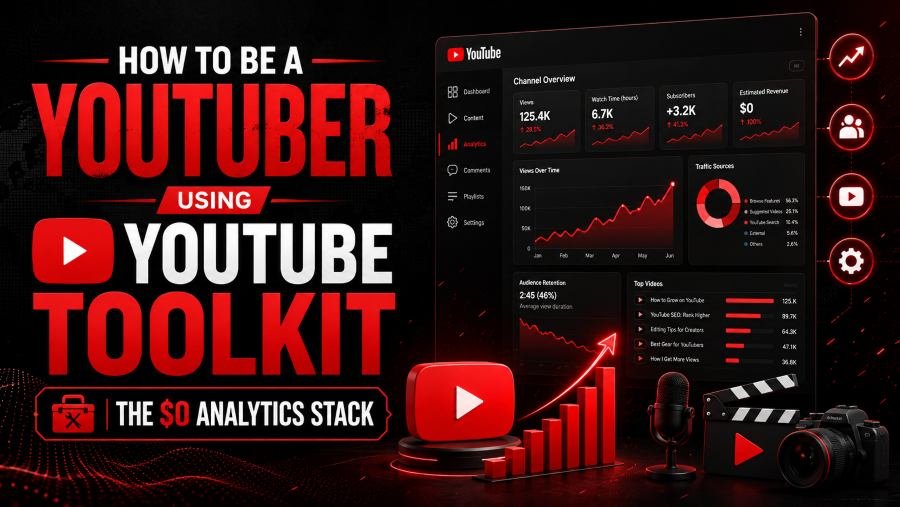
Do not create your first video until you have reverse-engineered 10 channels already winning in your niche. The $0 YouTube reverse-engineering method is a weekly system: study 10 competitors, analyze three videos from each, identify the patterns that repeat, publish controlled tests, review performance after 48 hours, and repeat. No paid analytics subscription required — only the discipline to replace assumptions with evidence.
Research 10 channels first because one successful creator can mislead you, while 10 channels reveal patterns that repeat across an entire niche.
Most beginners pick a broad category — fitness, gaming, personal finance, tech, productivity — and start recording immediately. That's backwards. A niche tells you where you're competing; it doesn't tell you what viewers repeatedly click, watch, and respond to.
Your first competitor list should mix established, mid-sized, and emerging channels:
For each competitor, track subscriber range, upload frequency, repeated topics, recent high performers, title structure, thumbnail style, engagement, and what the creator publishes immediately after a successful video.
You're not looking for one viral upload — you're looking for decisions that repeat across multiple channels. If six unrelated creators keep publishing around the same viewer problem, that's strong evidence the problem deserves your attention.
The takeaway is: research audience behavior before investing production time.
It's a competitor-research system that uses free YouTube Toolkit tools and public channel data to identify content opportunities before you publish.
Start with 10 relevant competitors and select three useful videos from each channel. Don't automatically grab the three most-viewed videos of all time — old viral hits may no longer reflect the creator's current strategy. Instead, analyze:
That gives you 30 videos. For each, examine four signals:
10 channels × 3 videos × 4 signals = 120 observations. The number matters less than the discipline behind it.
Skip vague notes like "great thumbnail" or "popular topic." Write specific observations instead:
Specific observations produce specific decisions.
In summary: structured competitor research is more useful than random inspiration.
Choose channels competing for the same viewer, not merely channels publishing in the same broad niche.
Two channels can both cover fitness while serving completely different audiences — a professional bodybuilding channel targets advanced athletes, a home-workout channel targets equipment-free beginners. Treating both as direct competitors distorts your conclusions.
A useful competitor should share your planned channel's viewer type, problem, skill level, content format, or desired outcome. If you want to build a WordPress channel, don't study every WordPress creator — narrow to channels helping beginners build sites without code, covering plugins, themes, hosting, and tools.
If a creator with 6,000 subscribers repeatedly generates 15,000–30,000 views, investigate what they're doing differently.
The key point is: study content efficiency, not fame.
Use a permanent channel identifier instead of relying only on names or handles.
Channel names and handles can change; your competitor database shouldn't. Use the YouTube Channel ID Finder to get a permanent channel ID for every competitor you track.
For each channel, save the name, URL, permanent ID, subscriber range, niche, and primary content format. This feels unnecessary with only 10 competitors, but it pays off once your research grows to 30, 50, or 100 — and it prevents a renamed creator from becoming an accidental duplicate entry.
In summary: use channel IDs as the stable foundation of your competitor database.
Use it as a commercial research signal, not as proof that another creator earns advertising revenue.
Run competitors through the YouTube Monetization Checker, but treat results carefully. An external tool can read public signals — it can't see private YouTube Studio earnings. Log the result as a positive, negative, or unclear monetization signal, not a confirmed fact.
Once a channel shows stronger commercial signals, dig into its full business model: sponsorships, affiliate links, memberships, courses, software recommendations, digital products, newsletters, consulting. That tells you far more than simply whether ads appear. A smaller creator with strong affiliate intent may have a better business model than a larger creator relying almost entirely on ad revenue.
The takeaway is: use monetization signals to decide what deserves deeper research, not to claim access to private earnings.
Compare engagement relative to a creator's normal performance instead of judging a video by raw likes alone.
A video with 10,000 likes may look strong, but the number means little without context. Use the YouTube Like Counter to check current public like counts, then compare against the creator's recent uploads.
Suppose five videos received roughly 900, 1,100, 850, 4,700, and 1,250 likes — the 4,700-like video is an obvious outlier, and that's where the analysis starts. Ask why it worked harder: a more urgent topic, a more specific title, a clearer thumbnail promise, a subject that triggered stronger emotion or discussion. Don't stop at "this video performed better" — identify what changed.
The key point is: engagement outliers are clues, not conclusions.
Track what competitors publish immediately after a video succeeds — follow-up behavior often reveals the strategy behind the breakout.
Say a personal-finance creator publishes "How I Saved $10,000 in 6 Months" and it far outperforms their average. The next videos cover cutting expenses, building an emergency fund, monthly saving systems, and how much cash to keep — this is topic compounding: creating closely related videos after audience data validates a subject.
Beginners often waste this. They get one successful video and immediately move to something unrelated. Experienced creators examine the winning topic and produce the next logical video.
After every competitor breakout, review the next three to five uploads. Did the creator narrow the topic, broaden it, build a series, answer adjacent questions, or repeat the format with a new angle? One successful video is interesting; several around the same problem are a pattern worth studying.
The takeaway is: copy the decision logic, not the competitor's content.
From 0 to 100 subscribers, your job is validation, not scale.
Don't measure success only by how fast the subscriber count moves. Your first uploads should answer a more useful question: which types of videos does this audience respond to?
Use your competitor audit to build several content hypotheses — beginner tutorials, mistake-based videos, comparisons, case studies, cost breakdowns — and, where practical, publish more than one video per hypothesis. One upload can't judge an entire topic, since a video can fail for reasons unrelated to demand: weak packaging, bad timing, a slow opening, or an unclear angle.
Focus early analysis on impressions, click-through rate, watch time, retention, engagement, subscriber gain, and traffic sources. Look for relative winners: if nine videos land between 100–300 views and one reaches 2,100, that outlier deserves immediate investigation into what changed in topic, title, thumbnail, traffic source, retention, and subscriber response.
In summary: your first 100 subscribers should produce a clearer content strategy, not merely a milestone screenshot.
Use the Shadowban Detector only after you've ruled out ordinary explanations for poor visibility.
Low views don't automatically mean suppression — a new channel getting 20 views is usually normal low distribution, not a hidden penalty. Before running a visibility diagnostic, confirm the video is public, has finished processing, is showing impressions in YouTube Studio, and can be found via an exact-title search. Also check for visible policy restrictions on the channel.
If something still looks abnormal, use the YouTube Shadowban Detector as another diagnostic signal — treat the result as evidence worth investigating, not proof of an internal YouTube action. Poor visibility can also come from weak demand, poor packaging, low viewer response, or limited channel history. Don't spend days chasing a supposed shadowban when the real issue is a thumbnail nobody clicks.
The takeaway is: investigate normal performance problems before suspected suppression.
Stop treating every upload equally and start compounding the topics that consistently outperform.
By this stage, your tracked list of 10 niche competitors has produced something more valuable than the original audit: your own audience data. Use it every week. Pick two competitors from that list and review recent uploads for repeated topics, title patterns, thumbnail changes, engagement outliers, and follow-ups — then compare those patterns to your own channel. The useful question: what are successful competitors repeating that I'm still treating as a one-off idea?
Your own outliers matter even more. If most recent videos get 200–300 views and one reaches 2,400, don't average it away — investigate the winner's topic, angle, title, thumbnail, retention, traffic source, engagement, and subscriber gain. Then create two or three adjacent videos while the evidence is fresh: go deeper on the same problem, compare two solutions, answer the next obvious question, or address a recurring comment.
The key point is: YouTube growth accelerates when you compound validated topics instead of continually starting from zero.
Convert watch-time goals into views and average viewing duration so you can see which input actually needs improvement.
A large watch-hour target is hard to act on; viewer-level math isn't. Use the YouTube Watch Time Calculator to model scenarios. Publish a 10-minute video at 50% retention and you get roughly five minutes of viewing per view — at 10,000 views, that's about 50,000 minutes, or roughly 833 hours.
Now you can see the levers that actually move the number: more views, better retention, longer average viewing duration, or more qualifying videos published. That's far more useful than repeatedly refreshing a large progress figure.
In summary: break large watch-time goals into numbers you can influence at the video level.
Use it to decide whether livestreaming is worth the production time for your channel.
Livestreaming has an opportunity cost — planning, 60–90 minutes of broadcasting, moderation, and possibly more editing afterward for clips or highlights. Use the YouTube Live Stream Money Calculator to model revenue scenarios before making live content a major part of your strategy.
Don't ask "how much money will this stream make?" Ask: what level of viewers, duration, and monetization would justify the time I'm putting into it? Then compare that scenario against another use of the same hours: three hours livestreaming might build stronger loyalty, while the same three hours could produce an evergreen tutorial that keeps generating views for months.
The takeaway is: measure livestream economics against opportunity cost, not excitement.
Audit the health of the entire channel instead of focusing only on subscriber count.
Start reviewing readiness before you hit the final threshold: qualified watch-time progress, originality, policy health, account security, advanced-feature access, and AdSense readiness. Use the YouTube Monetization Checker as an external diagnostic, the YouTube Watch Time Calculator for planning, and YouTube Studio for official eligibility information.
Also review your content library — both your strongest and weakest videos. Does the channel consistently provide original value? Are any uploads excessively repetitive? Do titles accurately describe what the viewer receives? The goal isn't just to hit a numerical threshold; it's to build a channel strong enough to survive a review.
The takeaway is: monetization preparation starts before you reach the final number.
A diagnostic process that identifies whether a new upload has a discovery, packaging, content, engagement, or conversion problem before you start changing it.
Before publishing, review the topic, viewer intent, three relevant competitor videos, title, thumbnail, description, and content angle. In the first few hours, confirm the video is processing correctly and receiving some distribution. After roughly 24 hours, review impressions, click-through rate, watch time, retention, likes, comments, subscriber gain, and traffic sources — use the YouTube Like Counter for an external engagement comparison against relevant competitor videos.
By around 48 hours, classify the likely bottleneck:
Change the variable connected to the problem. Do not fix a retention problem by adjusting unrelated metadata.
In summary: diagnose the bottleneck before attempting the fix.
Most guides overrate individual tools and underrate the system connecting them.
None of these should operate in isolation. The workflow that matters: Research → Publish → Measure → Compare → Repeat. YouTube Toolkit gives you external research signals; your own YouTube Studio data tells you what actually happened after people saw your content. A paid dashboard can't compensate for weak questions, and more metrics don't automatically produce better decisions.
The key point is: your competitive advantage is the operating system, not the subscription.
Run competitor research every week, because viewer demand and competitor behavior keep changing after your channel launches.
Your competitor set should evolve as your niche evolves. If you're benchmarking the exact same 10 channels a year later, your research is probably stale.
The takeaway is: competitive intelligence should be a weekly habit, not a launch checklist.
Start by auditing 10 channels before creating another video. The $0 YouTube reverse-engineering method is a weekly loop of studying competitors, testing what you find, and measuring the result.
Choose competitors serving the same audience you want to reach. Save their permanent channel IDs. Select three useful videos from each. Study demand, packaging, engagement, and replication. Identify the patterns that repeat, and turn them into five content hypotheses you can publish as tests.
After each upload, run the 48-hour audit. Review two competitors every week. When one topic clearly performs better, build the next logical video instead of abandoning it for something unrelated.
Use YouTube Toolkit's tools when they answer a specific research question, and YouTube Studio when you need first-party performance data from your own channel. You don't need to predict exactly which video will become your breakout — you need a system that reduces weak bets and compounds strong ones.
The takeaway is: stop guessing what YouTube wants. Study what viewers already reward, test your own angle, measure the response, and let the evidence decide what you publish next.
Author
Youtube Toolkit Team is a Digital Creator & YouTube Growth Specialist from the Netherlands
As Youtube Toolkit’s lead content writer, he transforms complex technical topics into engaging and helpful guides. His goal is to empower creators, coders, and marketers through clear and actionable content.
With 20+ years of experience in the digital ecosystem, Lucas specializes in bridging the gap between sophisticated technical architecture and practical end-user application. Whether it's deep-diving into YouTube SEO or exploring new SaaS integrations, his writing is designed to deliver immediate value.
Use our free tools to analyze, optimize, and maximize your YouTube channel's potential