Sep 13, 2026
•
15 min read


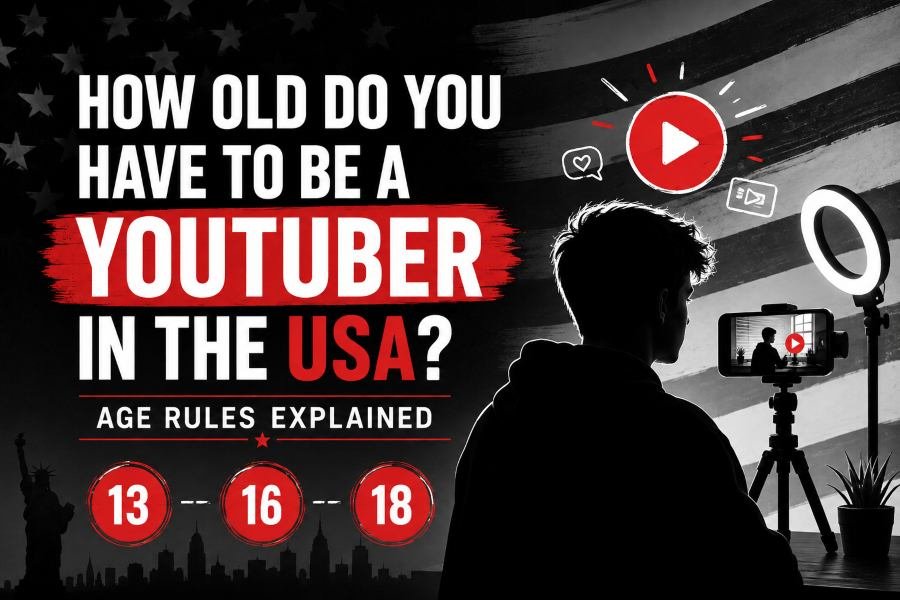
In most countries, 13 is the starting age for using YouTube independently, but it is not the age when every creator feature becomes available. You generally need to be 16 to livestream independently and 18 to hold your own AdSense account. Your country can also raise the minimum age or require parental supervision.
If your child genuinely wants to become a YouTuber, however, an age restriction should determine how they create, not automatically end their interest in creating.
My view is simple: support the child, but do not immediately fund the dream like a business. Help them first with content methodology, ethics, privacy, communication, research, editing, and creating something genuinely useful for other people.
Policy checked: August 13, 2026.
Under 13:
Use a parent-controlled or supervised setup. Standard creator features are restricted on supervised child accounts.
Age 13–15:
You may be able to manage and publish through a teen account where local rules allow, but you cannot livestream independently.
Age 16–17:
You can meet YouTube's minimum age for independent livestreaming, but you still cannot hold your own AdSense account.
Age 18+:
You can independently meet the age requirement for AdSense and have broader control over your YouTube business.
Age alone does not give you the full answer.
You need to check your age, your country, and what you actually want to do on YouTube.
YouTube's general minimum age is 13, but “13+” is an incomplete answer to how old do you have to be a YouTuber. Users under 18 also need permission from a parent or guardian under YouTube's Terms of Service.
A YouTuber is someone who creates, publishes, or manages content through a YouTube channel.
The problem is that “being a YouTuber” can mean several different things:
YouTube does not use one age threshold for all of those activities.
A 15-year-old may be able to upload videos but cannot livestream independently.
A 17-year-old may build an eligible monetized channel but still cannot personally hold an AdSense account.
A child under 13 can appear in content, while their supervised child account does not provide the same creator tools as a normal YouTube account.
The key point is: there is no single “YouTuber age.” There are different age gates for accounts, publishing, livestreaming, and money.
If you are under 13, or below the applicable minimum age in your country, you should not treat a supervised child account as a standard creator account.
YouTube's supervised child experience limits several creator functions, including normal channel creation and uploading capabilities.
This distinction matters.
There is a major difference between:
being the person appearing in a video
and
being responsible for operating and publishing through the account.
A 10-year-old can love filmmaking.
They can learn scripting, recording, editing, animation, storytelling, speaking, or educational content creation.
They do not need independent control of the publishing account to develop those abilities.
For an under-13 creator, the parent or guardian should take responsibility for areas such as:
That does not mean the parent needs to control every idea.
A better division is:
Child: creativity and production.
Parent: platform responsibility and safety.
Do not assume a supervised child account works like a normal creator account.
YouTube's supervised experience is primarily designed to let parents control how children watch and interact with YouTube.
Some standard creator functions are unavailable.
If the child genuinely wants to create, the practical approach is often for an adult to handle publishing while the child focuses on developing the content.
In summary, being under 13 should change who controls the publishing system, not prevent a genuinely interested child from learning how to create.
Creators aged 13–15 can use more standard YouTube features where local rules allow, but they still do not have full creator independence.
This is the age group where the simple “YouTube is 13+” answer becomes misleading.
Your 13th birthday does not unlock everything.
Google generally uses 13 as the minimum age to manage your own Google Account in countries without a higher listed threshold.
However, some countries require a higher age.
Examples include:
This means a global article should never tell every 13-year-old:
“You can now independently create your YouTube account.”
You should check the rule for your location first.
YouTube currently sets the default visibility for videos uploaded by creators aged 13–17 to Private.
You can change the visibility before publishing.
Young creators should use that Private stage as a built-in review process.
Before publishing, check for:
A short privacy review can prevent a much bigger problem later.
YouTube currently requires creators to be at least 16 years old to livestream independently.
That means a 15-year-old may be able to publish edited videos but still cannot simply start livestreaming alone.
The takeaway is: ages 13–15 are ideal for learning publishing, editing, audience understanding, and responsible content creation without assuming every creator feature is available.
At 16, you cross one of YouTube's most important creator thresholds: independent livestreaming becomes available, assuming your channel meets the other livestream requirements.
You are still under 18, so financial and parental-permission rules remain relevant.
A 15-year-old and a 16-year-old do not have identical creator access.
YouTube's current minimum age for independent livestreaming is 16.
Creators under 16 may participate in certain livestream setups where an adult is visibly present and actively involved.
That is not the same as saying:
“My parent is somewhere in the house.”
The adult needs to be meaningfully involved.
A recorded video gives you an editing stage.
You can remove mistakes before anyone sees them.
Livestreaming removes that safety layer.
During a live broadcast, you can accidentally expose:
That is why livestreaming should be treated as a different skill from normal uploads.
Learn moderation.
Plan what can appear in the background.
Know what information is off-limits.
A 16- or 17-year-old is still below Google's minimum AdSense age.
Google requires AdSense account holders to be 18 or older.
That creates an important situation.
You could become a serious creator, build an audience, publish consistently, and qualify for certain monetization opportunities before you are old enough to control your own AdSense account.
That is not a reason to stop.
It is a reason to structure the payment side correctly.
In summary, 16 gives you more creator freedom, especially for livestreaming, but it does not give you complete financial independence.
You can potentially earn YouTube ad revenue before 18, but you must be 18 to hold your own AdSense account.
If you are under 18, an eligible parent or guardian can manage the AdSense account used for payments.
This is different from saying:
“You cannot make money on YouTube until you're 18.”
That statement combines two different issues.
Your YouTube channel must meet the applicable monetization and YouTube Partner Program requirements.
The person holding the AdSense account must meet Google's age requirement.
A creator can therefore be involved in an earning channel before 18 while an adult manages the payment account.
Entering a fake birthday may look like an easy shortcut.
It is a poor foundation for an account that could eventually contain:
If an adult is required for the payment setup, use the legitimate adult route.
If you want to research whether another public channel appears monetized, you can use the YouTube Monetization Checker.
The key point is: before 18, separate creative ownership from payment responsibility.
At 18, you can meet Google's age requirement to hold your own AdSense account, and YouTube's under-18 parental-permission condition no longer applies to you.
That is an important milestone.
But it is not the beginning of being a creator.
If you started learning at 13, you could already have five years of creator experience by 18.
That experience can include:
Those skills matter more than simply being old enough to open a payment account.
At 18, you can independently handle more of the business side of YouTube.
That includes your own AdSense eligibility.
Other monetization, verification, and policy requirements still apply.
Do not think:
18 = successful YouTuber.
Think:
18 = greater independence over the creator business.
The takeaway is: the strongest position at 18 is not starting from zero. It is reaching adulthood with several years of responsible creator experience.
Your location can materially change the answer to how old do you have to be a YouTuber.
Google Account ages vary by country.
Some places also have YouTube-specific youth restrictions.
YouTube says the minimum age to sign in to YouTube in Australia is currently 16.
This restriction took effect on December 10, 2025.
For an Australian teenager, the generic statement “YouTube is 13+” therefore does not give the complete answer.
YouTube currently requires users under 16 in Brazil to have parental supervision to create or maintain a YouTube channel.
That makes Brazil another example where the standard 13-year answer is incomplete.
Google also lists different minimum ages for managing your own Google Account.
Depending on your country, the age may be:
Always check the current age requirement for your location before setting up the account.
In summary, your age is only half of the answer. Your country determines how that age applies to your YouTube setup.
If your child genuinely wants to be a YouTuber, support the ambition—but do not confuse support with spending heavily on it.
YouTube has real age restrictions.
Follow them.
But an age restriction should control account access and responsibility, not automatically kill a child's creative interest.
A child interested in YouTube may actually be interested in valuable skills such as:
You do not need to promise them a career.
You do not need to promise them money.
Let them learn.
That is enough.
If your child says they want to become a YouTuber, do not immediately buy:
Start smaller.
Use a phone if it works for the content.
Use equipment you already own.
Let them create 10 to 20 videos before making major purchases.
This gives you evidence of whether the interest is real.
It also teaches an important lesson:
Better equipment does not replace better ideas.
There is nothing wrong with upgrading equipment later.
But spending should follow demonstrated behavior.
Ask:
If the answer is no, a better camera will not solve the real problem.
If the answer is yes, equipment can remove a genuine production limitation.
The key point is: fund proven commitment, not the excitement of the first week.
Content methodology is the repeatable process a creator uses to choose an idea, define who it helps, create it responsibly, and improve after publishing.
This is where parental support can be far more valuable than buying equipment.
Do not accept:
“Everyone.”
Make the viewer specific.
For example:
“A beginner who wants to learn how to draw an anime eye.”
That gives the video direction.
A useful video should offer an outcome.
That might be:
Entertainment itself can be valuable.
But “I want views” is not a viewer benefit.
Ask:
If there is no good answer, improve the concept.
This is one of the strongest pre-publish tests for a young creator.
Ask:
Would you still publish this if you knew one million strangers might see it?
If the answer changes, investigate why.
Maybe the video contains personal information.
Maybe it embarrasses someone.
Maybe a claim was not researched.
Maybe the creator feels safe only because they expect very few views.
Public content should be created with public-scale consequences in mind.
Do not simply say:
“That video only got 82 views.”
Ask:
That builds a creator.
You can also use the YouTube SEO Score Checker to review published video optimization and identify areas worth improving.
In summary, teach a child how to think about content before teaching them how to chase views.
Teach ethics before monetization. A child who learns how to attract attention also needs to understand what they should never do for attention.
Young creators should learn not to build content around:
Do not teach only:
“Can this get views?”
Teach:
“Can this get views without misleading or harming people?”
Content can be:
It does not have to solve a huge problem.
But it should respect the viewer.
Friends, siblings, classmates, and family members should not automatically become content.
Teach young creators to ask permission.
Teach them not to embarrass someone for a thumbnail.
Teach them that another person's dignity is more important than one video's performance.
Metrics disappear.
Relationships can last much longer.
The takeaway is: the creator skill worth protecting most is judgment.
No. Subscriber count is a poor primary reward system for a young creator.
Subscribers are an outcome.
They are not a complete measure of improvement.
If parents celebrate only numbers, a child can quickly learn:
More views = better content.
That can push them toward sensational content instead of better content.
Measure skills instead.
Ask:
A creator can improve dramatically while moving from 82 views to 110 views.
That improvement may matter more than one accidental video reaching 20,000 views.
Instead of saying:
“We'll buy you a new camera when you reach 10,000 subscribers.”
Try:
“If you consistently create for six months and we identify a real equipment limitation, we'll consider upgrading it.”
That rewards:
Those traits remain useful even if YouTube never becomes a career.
In summary, reward the process that creates skill, not just the number beside the Subscribe button.
No. A child appearing in a video does not automatically mean the content should be marked “Made for Kids.”
Creator age and target audience are separate questions.
For example:
Video A: A young child demonstrates a toy specifically for preschool viewers.
Video B: A teenager explains camera settings to photography enthusiasts.
Both videos feature minors.
The target audience is different.
YouTube considers factors such as:
Do not choose Made for Kids simply because a minor appears on camera.
Choose it based on the intended audience and the actual nature of the content.
The key point is: the age of the creator and the age of the intended viewer are separate decisions.
The YouTube Creator Age Checker is a simple five-question framework for finding the correct setup without relying on the generic “13+” answer.
Choose the closest group:
Check whether your country has:
If you are using a supervised child account, normal creator functions may not be available.
For eligible teen creators, review privacy carefully before publishing.
If yes, remember the major threshold:
16 years old for independent livestreaming.
If you are younger, check YouTube's adult-presence rules.
If yes, remember:
You must be 18 to hold your own AdSense account.
If you are younger, the payment setup may need to be handled by an eligible adult.
Age 10:
Learn creation while a parent controls publishing.
Age 12:
Do not rely on a supervised child account for normal creator features.
Age 13 in a standard 13+ region:
Teen creator access may become available.
Age 15:
You may create and upload where eligible, but you cannot livestream independently.
Age 16:
You reach YouTube's independent livestream age.
Age 17 with an earning channel:
An eligible adult still needs to handle AdSense.
Age 18+:
You can meet the age requirement for your own AdSense account.
Under 16 in Australia:
Current YouTube sign-in restrictions apply.
Under 16 in Brazil:
Parental supervision is required to create or maintain a channel.
In summary, the correct formula is: Age + Location + Activity = Your YouTube Setup.
A 12-year-old can learn YouTube creation and appear in content, but they should not be treated as an ordinary independent creator account holder.
That should not be interpreted as:
“A 12-year-old should stop making videos.”
It means the adult should handle technical publishing responsibility.
The child can focus on:
This is often a healthy division.
The child builds creative skill.
The adult handles platform risk.
The takeaway is: at 12, learn the craft without pretending the child needs full account independence.
A 13-year-old may be able to manage a YouTube channel in countries where 13 meets the applicable Google Account and YouTube requirements.
Other countries use higher age requirements.
YouTube's Terms also require parental permission for users under 18.
So the useful answer is:
Yes, potentially—but check your location first.
If eligible, the creator should still use a strong pre-publication privacy review.
In summary, 13 is a common starting point, not a universal permission slip.
A 15-year-old cannot independently livestream under YouTube's current minimum-age rule.
The independent livestreaming age is 16.
If you are 15, this does not need to stop channel growth.
Use the time to master:
You can arrive at 16 as a better livestreamer because you already know how to hold attention.
The takeaway is: if you're 15, build the skills now instead of treating livestream access as the thing holding your channel back.
Yes, an eligible creator may potentially earn before 18, but the AdSense account itself must be held by an eligible adult.
Do not fake your birth date.
Do not treat an account workaround as a growth strategy.
Set up the adult responsibility correctly and keep developing the channel.
The key point is: earning and personally controlling the payment account are two different milestones.
Before your first public upload, create a safety and quality system. Do not start with subscriber goals.
After publishing, review what actually happened.
YouTubeToolkit provides YouTube creator tools for researching public video and channel signals, SEO, monetization, rankings, and other creator workflows.
The key point is: build the correct publishing habits before you build an audience large enough for mistakes to become expensive.
For most creators, remember three numbers: 13, 16, and 18.
13: The general starting age for independent YouTube use in many countries.
16: The current minimum age for independent livestreaming.
18: The minimum age for your own AdSense account.
Then check your location.
Some countries use higher Google Account ages.
Australia currently has additional restrictions for users under 16.
Brazil currently requires parental supervision for users under 16 who create or maintain YouTube channels.
But age rules are only one part of this topic.
If a child genuinely wants to create, I would not tell them to wait until adulthood before learning.
Let them learn now within the correct account setup.
Support them with time before money.
Teach methodology before monetization.
Teach ethics before virality.
Teach privacy before publicity.
Teach them to create something useful before teaching them to chase an algorithm.
A child who starts with those principles may gain something more valuable than subscribers.
They can learn how to research, communicate, create, finish projects, accept feedback, and use attention responsibly.
In summary, YouTube's age rules determine what a young creator can technically do today. Good parental guidance determines what kind of creator they may become tomorrow.
YouTube's general minimum age is 13, although the requirement can be higher depending on your country. Users under 18 also require parent or guardian permission under YouTube's Terms.
A 10-year-old can learn video creation and appear in parent-managed content, but supervised child accounts do not provide the same creator functions as normal YouTube accounts.
A 12-year-old should generally use a parent-managed creator setup rather than operate an ordinary independent account.
A 13-year-old may be able to upload videos where their Google Account and local YouTube requirements allow it. Always check your country's minimum age.
You must currently be at least 16 to livestream independently on YouTube.
Not independently. YouTube's current minimum age for independent livestreaming is 16.
You can potentially earn before 18 through an eligible setup, but you must be at least 18 to hold your own AdSense account.
No. A child appearing in a video does not automatically make the video Made for Kids. The intended audience and nature of the content determine the correct setting.
Start with limited financial support. Help first with content methodology, ethics, safety, research, editing, and consistency. Upgrade equipment when the child demonstrates sustained commitment and the equipment solves a real production problem.
No. A young creator can develop writing, editing, storytelling, research, communication, and responsible publishing skills while following the account and supervision requirements that apply to their age.
Author
Youtube Toolkit Team is a Digital Creator & YouTube Growth Specialist from the Netherlands
As Youtube Toolkit’s lead content writer, he transforms complex technical topics into engaging and helpful guides. His goal is to empower creators, coders, and marketers through clear and actionable content.
With 20+ years of experience in the digital ecosystem, Lucas specializes in bridging the gap between sophisticated technical architecture and practical end-user application. Whether it's deep-diving into YouTube SEO or exploring new SaaS integrations, his writing is designed to deliver immediate value.
Use our free tools to analyze, optimize, and maximize your YouTube channel's potential