Sep 13, 2026
•
15 min read

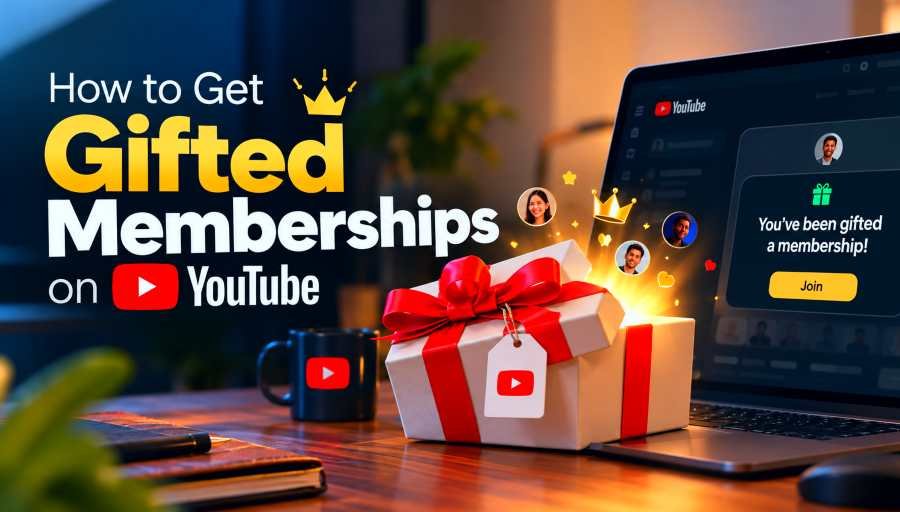
You can't claim or guarantee a gifted membership on YouTube. While you can improve your chances, YouTube makes the final decision, which can help you feel understood and reduce frustration.
The difference is important. When most people try to get a gifted membership on YouTube, they mainly care about two things: whether their account qualifies and how to increase their chances.
The answer to the first question is clear and well documented: YouTube does not clearly state the precise criteria it uses when choosing recipients.
In the guide on YouTubeToolkit.com, I detail the controllable settings and requirements, along with the stages of the gifting process, to help you understand how the eligibility process works and what you can influence.
To become eligible for gifted memberships:
YouTube calls the option "Accept gifts" "Allow gifts".
Before looking at algorithms, chat activity, or watch time, first check the basic eligibility requirements.
If you don't have all of these conditions, concentrating on them will not deal with the real issue; to qualify, you must have received a gift, subscribed to the channel, and have recently interacted with that channel, and you also have to be logged into a YouTube channel that is not a Brand Account, as current members of the channel are not able to obtain a gifted membership there.
Here's what each requirement means.
To qualify for gifted memberships, you must subscribe to the channel you want.
This is the standard, free YouTube subscription.
Subscribing to YouTube does not mean you are a channel member.
You can follow a creator on YouTube without paying, which lets you stay up to date with their videos, livestreams, Shorts, and other content. A membership is a separate feature, and to get the benefits the creator has set up, you usually need to pay a regular amount.
If you have a gifted membership, you'll get temporary access to the benefits while gifted status is active. Although you must subscribe first, becoming a paid channel member as a result of the subscription doesn't happen automatically.
On YouTube, gifted memberships require an opt-in approach.
Subscribing isn't enough; you also need to tell YouTube to consider your account for gifted memberships.
The option you're looking for is labeled Allow gifts. After you choose this option, YouTube says you will be eligible to receive gifted memberships from channels that have gifting enabled, provided you are subscribed and have recently interacted with them.
If you set up gifts for just one channel a while ago, check your settings again, since YouTube says you have to agree to the option globally if you want to take part in other channels. You are not using a brand account.
Also, Brand Accounts must not be able to receive gifted channel memberships.
This might be confusing because a Brand Account can still perform functions such as watching videos, subscribing, commenting, or participating in live chat.
If more than one YouTube channel is linked to your Google account, check which channel you are using, since the creator you are watching must meet YouTube's gifted membership eligibility requirements.
YouTube says that when you already have an active membership with a creator, you won't be able to get a gifted membership for that channel.
Enabling the option to accept gifted memberships has no impact on this rule. This is especially important if you previously bought a membership yourself and then see other viewers receiving gifted memberships during a livestream.
Additionally, recent interaction with the channel is a key eligibility factor, even though YouTube does not specify what qualifies as recent, highlighting the importance of engaging with the channel regularly.
To be eligible, you need to have interacted with the channel recently. Engaging more can boost your chances, helping you feel hopeful and motivated to participate actively.
YouTube does not state precisely what is meant by 'recently interacted'.
It does not publish a documented requirement such as:
It would therefore be unreasonable to consider any of these activities a certain means to get a gifted membership.
This matters since YouTube treats it as a requirement, even if we don't know exactly how it measures it.
After verifying the basic requirements, choose 'Allow gifts'.
You can do this in a few ways on YouTube.
If you are watching an eligible livestream or Premiere:
If this option is turned on, your account will be taken into account for gifted memberships, provided that you also meet YouTube's other eligibility requirements.
YouTube includes a menu item called Gift Settings.
On an eligible channel or video page:
It helps to remember the exact words YouTube uses.
If you search YouTube for information on how to accept gifts, you might expect to see an 'Accept Gifts' button; currently, though, YouTube calls it 'Allow gifts'.
In practice, they're the same, since both let YouTube take a cut of membership gifts.
Not always.
YouTube's current documentation states that th broader system will become eligible to enable gifts on all channels you have subscribed to and have recently interacted with.
Viewers who had agreed to the previous channel-specific settings may need to enable the new global option.
If you get giftst gifts for one creator but never get gifts on the other channels, it's worth checking your Gift Settings.
To address this, identify the real problem rather than dismissing it as bad luck. There are two completely different scenarios:
Knowing what you're dealing with can greatly reduce the time you spend troubleshooting.
"Allow Gifts" Is Still Turned Off
Start by checking the most straightforward option. Even if you subscribe to a creator, watch all their livestreams and chat with them, you still won't be eligible unless you've turned on gifted memberships. If you previously switched on gifts for just one channel, make sure the global setting is also turned on.
You're Using a Brand Account
If you don't see Gift Settings, or if everything appears correct but you are still not eligible, check the type of YouTube channel you are using. Gifted memberships are at the moment not available for Brand Accounts. This is most important in the case where you use a single Google account to manage several creator, business, or personal channels. When you switch between channels, the Google account you think you're using might not be the one active in the live chat.
You're Already a Channel Member
Right now, existing channel members aren't eligible to receive gifted memberships for that channel. This is an eligibility matter, not a choice issue. Even if you chat more often, nothing will change while your membership is active.
You're Not Actually Subscribed
You don't need to subscribe to watch a creator on YouTube, since the service only allows gifted memberships to people who have subscribed to a channel. If you want to receive gifted memberships from a specific creator, make sure the account you're using is subscribed to their channel.
Your Channel Interaction May Not Be Recent
YouTube also requires recent interaction, though it doesn't specify exactly how recent.
It's best not to try to manipulate the system with inauthentic behavior. Sending a large number of messages, posting numerous comments, or repeatedly refreshing a livestream is not a proven way to get gifted memberships. The easiest thing to do is to follow a creator and continue to interact with their content as you usually do.
You Meet Every Requirement but Still Receive Nothing
Here you have to distinguish between eligibility and selection. You could have:
Your account may still not receive any messages, and that doesn't mean your settings are incorrect.
For gifted memberships, the person buying them selects the number of memberships rather than naming a particular viewer, using the usual gifting process. YouTube then spreads the memberships among eligible viewers, but its public documentation doesn't provide an exact formula for why one eligible viewer is chosen and another isn't.
As long as you meet all the requirements, the only reason you might not be chosen is that you weren't picked.
There is no certain method of obtaining a gifted membership.
It helps to consider what's within your control and what isn't.
You can:
These steps determine whether your account satisfies YouTube's eligibility rules.
You cannot control:
This helps you avoid mistaking rumors for established YouTube rules.
Before you believe that sending a certain number of messages, watching for an hour, or commenting every day will help, you should check whether YouTube actually says so.
Right now, the only documented requirement is recent interaction, not a points system.
These terms are easy to confuse, especially when you're used to other streaming services, where "sub" refers to a paid membership.
You can subscribe to YouTube at no cost.
By subscribing, you can keep up with a creator and easily see their new uploads and activity.
To get gifted memberships, you must have a subscription.
A channel membership typically involves paying a monthly fee to a particular creator.
Creators can offer perks at different membership levels, such as loyalty badges, custom emoji, members-only posts, early access, or special videos.
A gifted membership lets a selected viewer access the channel's perks temporarily without paying.
These gifted subscribers are often referred to as such, but YouTube tends to call them gift memberships or gifted memberships.
Here’s an easy way to remember how it works:
To subscribe to the channel, make sure gifts are allowed, meet the other eligibility requirements, and then you will be eligible for selection.
You can make yourself eligible.
You can't control whether you're chosen.
You'll receive a notification through the live chat and an email if YouTube selects your account.
The gifted membership gives you access to the channel perks for up to one month, then automatically turns into a recurring paid membership so YouTube doesn't start charging you when the gifted period ends.
The benefits you receive will vary depending on what the creator provides at that membership level.
Depending on the channel, that might include:
Different creators offer different benefits.
Even if YouTube says your membership is active, if you still can't access some content, the problem isn't related to receiving a gift. For assistance with troubleshooting your account, membership level, or content access, see our guide on YouTubeToolkit.com about YouTube members-only videos.
YouTube's current rules require that you have opted in, are subscribed, and have recently interacted with the channel.
You don't need to be watching the livestream the moment you are chosen.
YouTube also says some recipients will get an email notification.
So you don't need to be live at that moment unless YouTube changes its rules.
You cannot send a YouTube membership gift directly to a particular friend like you can with a digital gift card.
The person buying the gifts chooses how many to give, and YouTube then decides which eligible viewers receive them.
Which is why you should enable Allow gifts.
You're making your account eligible for random selection, not asking someone else to buy you a membership.
Yes, generally—when people refer to YouTube memberships, gifted subscriptions and gifted memberships mean the same thing.
"Gifted subs" is a term commonly used in the streaming sector, and on YouTube the terms used are gift memberships or gifted memberships.
Do not confuse these with normal free YouTube subscriptions.
Instead, look for the Allow gifts option—there isn't a button labeled 'Accept Gifts'.
You can enable Allow gifts via the gifting prompt that appears during an eligible livestream or Premiere, or through Gift Settings.
Yes, at the moment YouTube requires a subscription to the channel to be eligible to receive gifted memberships.
Keep in mind that signing up is free and should not be confused with purchasing a channel membership.
Not under YouTube's current rules.
You must be logged into a YouTube channel that is not a Brand Account.
Currently, YouTube states that members cannot receive a gifted membership for the same channel.
You should review YouTube's most up-to-date rules again, since the platform's requirements may have changed.
No.
Allowing gifts makes your account eligible to take part once you meet the other requirements; it doesn't ensure anyone will buy gifts or that YouTube will select you.
YouTube says that when someone receives a gifted channel membership, they get up to one month's membership access.
The gift does not automatically turn into a paid membership when it expires.
YouTube states that viewers must have recently interacted with a channel, but its current public documentation doesn't explain how live-chat activity influences recipient selection.
If you'd like to take part in the community, chat naturally; just don't treat the number of messages as a gifting strategy.
You don't need to make the process complicated if your only goal is to get your account ready to receive gifted memberships.
Start with these checks:
Focus on this: don't look for supposed gifting hacks.
When we write guides like this one at YouTubeToolkit.com, we aim to distinguish real YouTube settings and documented requirements from assumptions that can waste your time.
You can make your account qualify for gifted memberships, but you can't force YouTube to select it next time.
Author
Youtube Toolkit Team is a Digital Creator & YouTube Growth Specialist from the Netherlands
As Youtube Toolkit’s lead content writer, he transforms complex technical topics into engaging and helpful guides. His goal is to empower creators, coders, and marketers through clear and actionable content.
With 20+ years of experience in the digital ecosystem, Lucas specializes in bridging the gap between sophisticated technical architecture and practical end-user application. Whether it's deep-diving into YouTube SEO or exploring new SaaS integrations, his writing is designed to deliver immediate value.
Use our free tools to analyze, optimize, and maximize your YouTube channel's potential